Welcome to our community

Be apart of something great, join today!

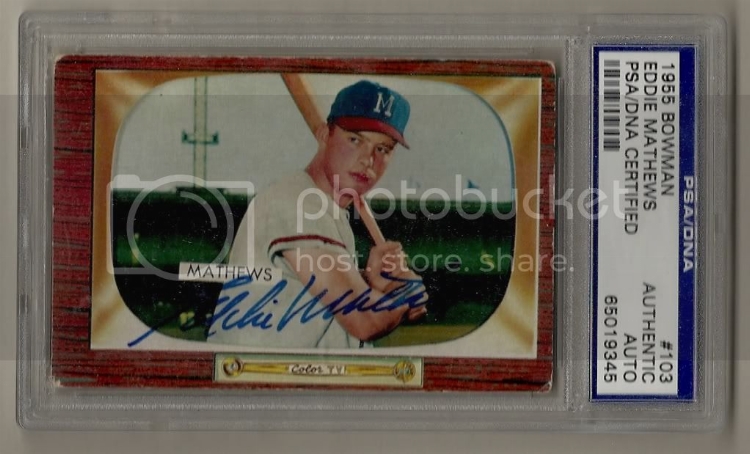
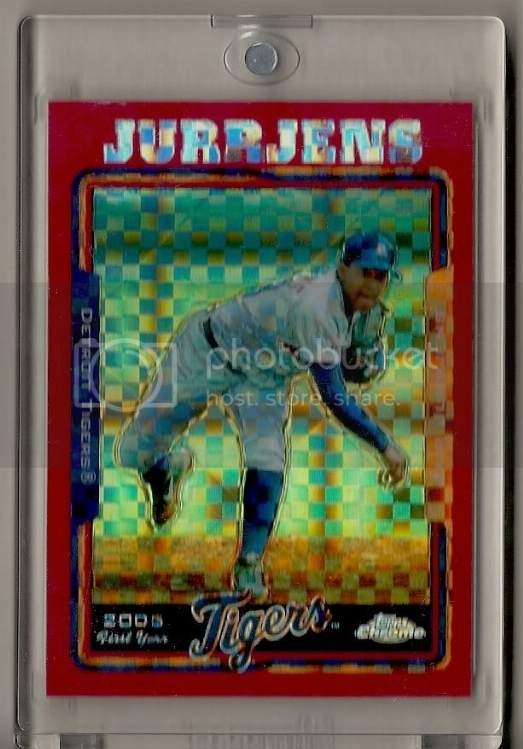
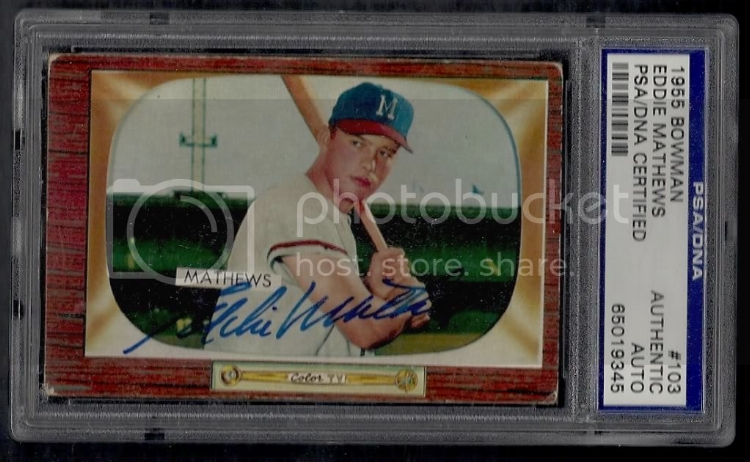
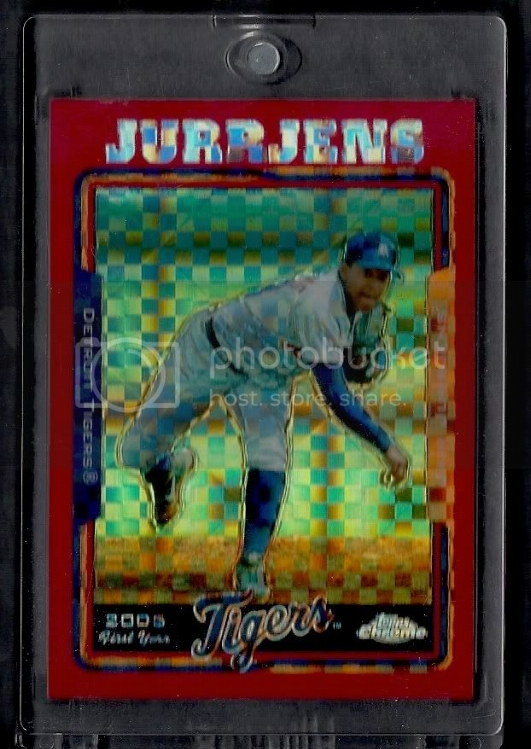
About to do a bunch of scanning. What backround is better?

Which backround is better

  • Backround 1

    Votes: 0 0.0%

  • Total voters
    11

Disclaimer: Links on this page pointing to Amazon, eBay and other sites may include affiliate code. If you click them and make a purchase, we may earn a small commission.

blitzerlover

Active member
Joined
Aug 9, 2008
Messages
6,523
Reaction score
0
Backround 1:

scan0002.jpg


scan0003.jpg


Backround 2:

scan0004.jpg


scan0005.jpg
 

Sean_C

New member
Joined
Oct 21, 2009
Messages
1,561
Reaction score
0
For me, slabs get scanned with the cover up (for the black background), but one touch / screwdown holders do not.

What's up with the resolution of those scans? They look really off.
 

blitzerlover

Active member
Joined
Aug 9, 2008
Messages
6,523
Reaction score
0
My scanner sucks. Option 1 was with the lid down and option 2 was with it up. I might try to scan the raw cards with out the case.
 

blitzerlover

Active member
Joined
Aug 9, 2008
Messages
6,523
Reaction score
0
Here is a scan of the Jurrjens outside of the case. Any better?

scan0006-1.jpg
 

MacK

Active member
Joined
Aug 7, 2008
Messages
5,282
Reaction score
0
blitzerlover said:
Here is a scan of the Jurrjens outside of the case. Any better?

scan0006-1.jpg

Crop everything off but the card. Looks way better, in my opinion.
 

carrsallstars

Member
Joined
Sep 16, 2009
Messages
846
Reaction score
0
I almost always prefer a black background...but your black did not seem to be consistently black in your scans- made it look a little wierd.
 

VizquelCollector.com

Active member
Joined
Jul 31, 2009
Messages
1,494
Reaction score
0
Skorris CCBC said:
Crop everything off but the card. Looks way better, in my opinion.

Agreed 100% for cards not in cases. However when you scan graded cards, some of that background shows through the plastic. I'd get 2 pieces of paper, one white and one black. Use them to offset the color of the card you're scanning. But still trim it completely if possible.
 

Brewer Andy

Active member
Joined
Aug 10, 2008
Messages
9,634
Reaction score
21
and also I would say yes, avoid the one-touches. Take 'em out to scan then put 'em back
 

mrwhitesox30

New member
Joined
Oct 7, 2008
Messages
1,222
Reaction score
0
Sean_C said:
For me, slabs get scanned with the cover up (for the black background), but one touch / screwdown holders do not.

What's up with the resolution of those scans? They look really off.

The reason that they look off is because his scanner does not have CCD. When you use a scanner that does not have CCD, whatever is touching the scanner (like the front of the one-touch) is in focus and whatever is farther back (like the card inside the one-touch) will appear blurry.

If you plan on ever buying a scanner with CCD, you might want to hold off on the scans for now so you can get better ones in the future.

As for cropping, it's mainly personal preference, but keep in mind that if you ever decide to trade or sell your cards you should keep a small border around them. Cropping them tight looks nice, but I always leave a small border around mine so if I decide to sell the card I don't have to rescan it. If you use a tightly cropped scan on Ebay it just looks like you're trying to hide a discrepency.
 

shepsspot

New member
Joined
Oct 27, 2008
Messages
2,490
Reaction score
0
mrwhitesox30 said:
Sean_C said:
For me, slabs get scanned with the cover up (for the black background), but one touch / screwdown holders do not.

What's up with the resolution of those scans? They look really off.

The reason that they look off is because his scanner does not have CCD. When you use a scanner that does not have CCD, whatever is touching the scanner (like the front of the one-touch) is in focus and whatever is farther back (like the card inside the one-touch) will appear blurry.

If you plan on ever buying a scanner with CCD, you might want to hold off on the scans for now so you can get better ones in the future.

As for cropping, it's mainly personal preference, but keep in mind that if you ever decide to trade or sell your cards you should keep a small border around them. Cropping them tight looks nice, but I always leave a small border around mine so if I decide to sell the card I don't have to rescan it. If you use a tightly cropped scan on Ebay it just looks like you're trying to hide a discrepency.[/quote]

I was going to say the same thing, and now I dont have to!

Shep
 

Members online

No members online now.

Latest posts

Top