- Thread starter
- #1

You are using an out of date browser. It may not display this or other websites correctly.
You should upgrade or use an alternative browser.
You should upgrade or use an alternative browser.
Scanning shiny cards - best result settings?
- Thread starter TNP777
- Start date
Disclaimer: Links on this page pointing to Amazon, eBay and other sites may include affiliate code. If you click them and make a purchase, we may earn a small commission.


ThoseBackPages
New member
try scanning the card l - r instead of t - b
- Thread starter
- #3
Didn't help - thanks for the suggestion, though.ThoseBackPages said:try scanning the card l - r instead of t - b
thenumberonemetfan
New member
lid up/lights off.

MOFNY
Active member
I have the same scanner and have run into the same issue. I have tried many different methods. For the most part it's difficult to capture the refractor shine. Lid up with cardboard placed over the card at 600 DPI is what I use. Most of my scans come out very good. Here is one I did just last night. Personally I think I have higher quality than Backpages. 

Autismic
New member
sounds like a challenge to TBP
ThoseBackPages
New member
MOFNY said:I have the same scanner and have run into the same issue. I have tried many different methods. For the most part it's difficult to capture the refractor shine. Lid up with cardboard placed over the card at 600 DPI is what I use. Most of my scans come out very good. Here is one I did just last night. Personally I think I have higher quality than Backpages.
ive never used 600dpi.
just the basic settings which has 300dpi
now since i helped you select that scanner, this is a case of student being better than the teacher lol
heres an ordinary ole' 300dpi that aint too shabby

mhsbaseball34
New member
- Aug 10, 2008
- 296
- 0
MOFNY said:I have the same scanner and have run into the same issue. I have tried many different methods. For the most part it's difficult to capture the refractor shine. Lid up with cardboard placed over the card at 600 DPI is what I use. Most of my scans come out very good. Here is one I did just last night. Personally I think I have higher quality than Backpages.
That looks really nice. I have the 8800f and can not get the stupid rainbow lines to go away, so I may get something else.
Lets see a slab scanMOFNY said:I have the same scanner and have run into the same issue. I have tried many different methods. For the most part it's difficult to capture the refractor shine. Lid up with cardboard placed over the card at 600 DPI is what I use. Most of my scans come out very good. Here is one I did just last night. Personally I think I have higher quality than Backpages.
ThoseBackPages
New member
mhsbaseball34 said:MOFNY said:I have the same scanner and have run into the same issue. I have tried many different methods. For the most part it's difficult to capture the refractor shine. Lid up with cardboard placed over the card at 600 DPI is what I use. Most of my scans come out very good. Here is one I did just last night. Personally I think I have higher quality than Backpages.
That looks really nice. I have the 8800f and can not get the stupid rainbow lines to go away, so I may get something else.
time for you to pick up the 4400F, thats what three of us here are using lol
chuckbartowski
New member
- Jan 2, 2009
- 2,405
- 0
I have a CanoScan 4400F, and I think it does fine on Chrome Refs

ThoseBackPages
New member
FREDDIE!!!!!!!!!!!!!!!!!!!!!!!!!!!!!
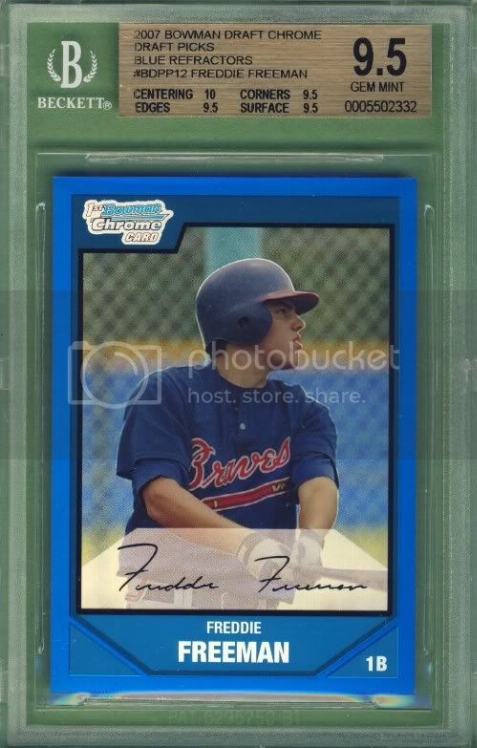
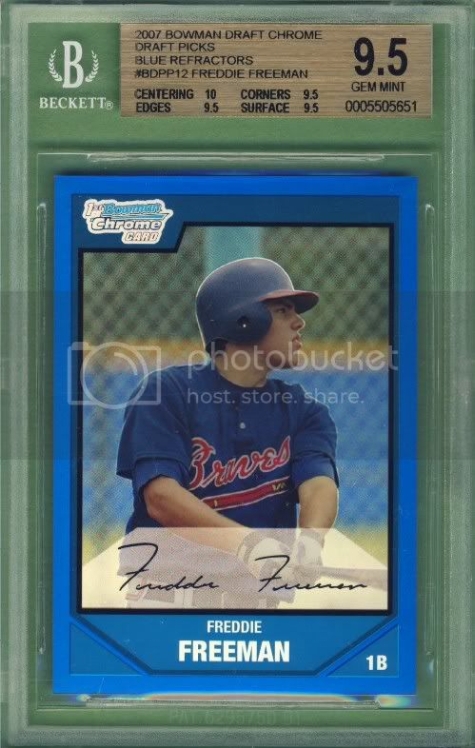
chuckbartowski
New member
- Jan 2, 2009
- 2,405
- 0
ThoseBackPages said:FREDDIE!!!!!!!!!!!!!!!!!!!!!!!!!!!!!
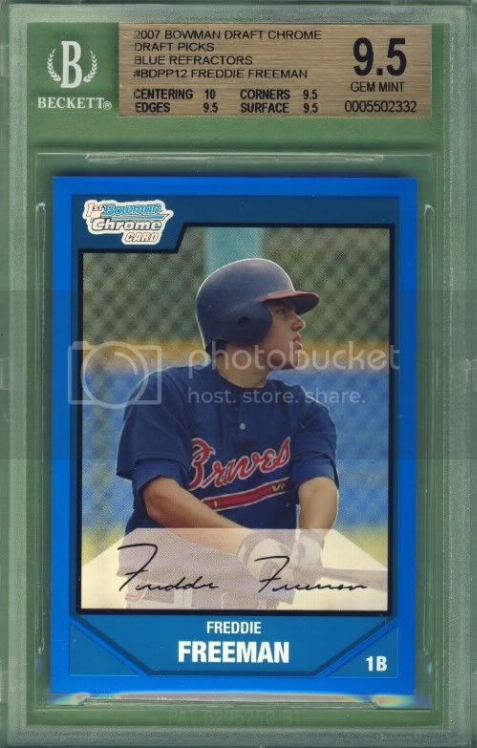
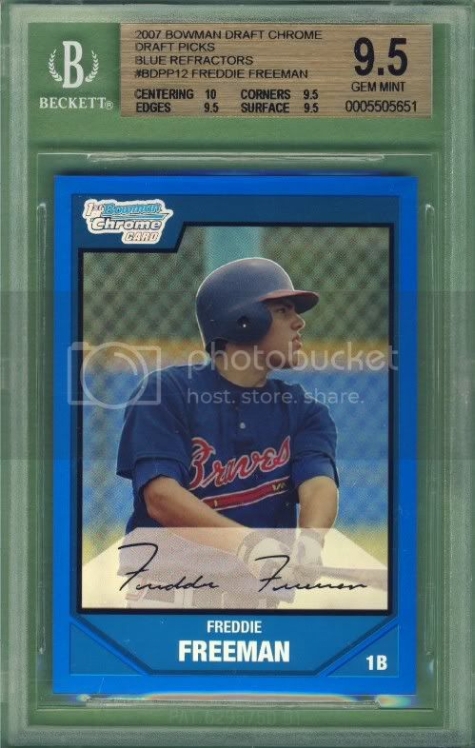
I guess all the true gems grade that way
- Thread starter
- #14
Cobra29svt
New member
The best way i've found to scan those is to put them in a penny sleeve and toploader, then just crop it out. Try it and LMK how it works out for ya.

Craig Smith
Member
I also use the 4400F.
I think my red refractors scan ok but I sure have troubles with superfractors. I get too much green and can not seem to get rid of it.
IMAGE SETTINGS:
600 DPI
Auto Tone ON
Descreen ON
Fading Correction LOW
Grain Correction HIGH
Backlight Correction LOW

I think my red refractors scan ok but I sure have troubles with superfractors. I get too much green and can not seem to get rid of it.
IMAGE SETTINGS:
600 DPI
Auto Tone ON
Descreen ON
Fading Correction LOW
Grain Correction HIGH
Backlight Correction LOW
ThoseBackPages
New member
TNP777 said:I've been scanning with the lid up - definitely the best results there. The cards I'm really having trouble with are the 'metal' looking cards, such as this '94 Leaf Limited and '96 leaf base.


maybe you need to scan the cards in something, then self crop?
- Thread starter
- #18
ThoseBackPages
New member
TNP777 said:TBP - I'll try that, and mess around with other stuff, too.
I did scan this for my oddball page. Turned out nice!

That Lid scan is CRISP!
MOFNY
Active member
Ask and you shall receive...granted this one isn't perfect.boxbreaker44 said:Lets see a slab scanMOFNY said:I have the same scanner and have run into the same issue. I have tried many different methods. For the most part it's difficult to capture the refractor shine. Lid up with cardboard placed over the card at 600 DPI is what I use. Most of my scans come out very good. Here is one I did just last night. Personally I think I have higher quality than Backpages.


